Local SEO for Restaurants in San Francisco: Get Found on Google Maps and Search
When someone in San Francisco gets hungry, the hunt for a table or a takeout order usually starts on a phone. Local SEO for restaurants is the work that puts your dining room in front of those local searchers at the moment they decide where to eat. This guide is for independent restaurant owners and sticks to steps Google documents itself.
If you want the wider picture of how we approach search for neighborhood businesses, our local SEO service in San Francisco page explains the full scope.
How People Search for Restaurants on Google
Most diners use short, practical phrases: a cuisine plus a neighborhood, “open now,” or “near me.” Google answers with a map, a short list of places, and a profile card for each one. For any local restaurant, the job is making sure the details on that card are complete, correct and tempting, so customers who search for your restaurant can act right away.
The map listings follow their own logic, which we cover in our piece on the Google Map Pack in San Francisco. Here we focus on the parts that belong to restaurants: your profile, your menu, your order and booking buttons, your reviews and your website. Together they shape your visibility in local search results and your overall online presence for local diners.
Optimize Your Google Business Profile Listing
Your Google Business Profile is the listing people see first, often before they ever open your website. Google keeps a setup checklist made for restaurants, covering ownership, verification, core details, ordering, bookings, photos and menus, in its restaurant Business Profile guide. Our general walkthrough of Google Business Profile for local businesses covers the basics that apply to any shop.
Name, Category, Hours and Special Hours
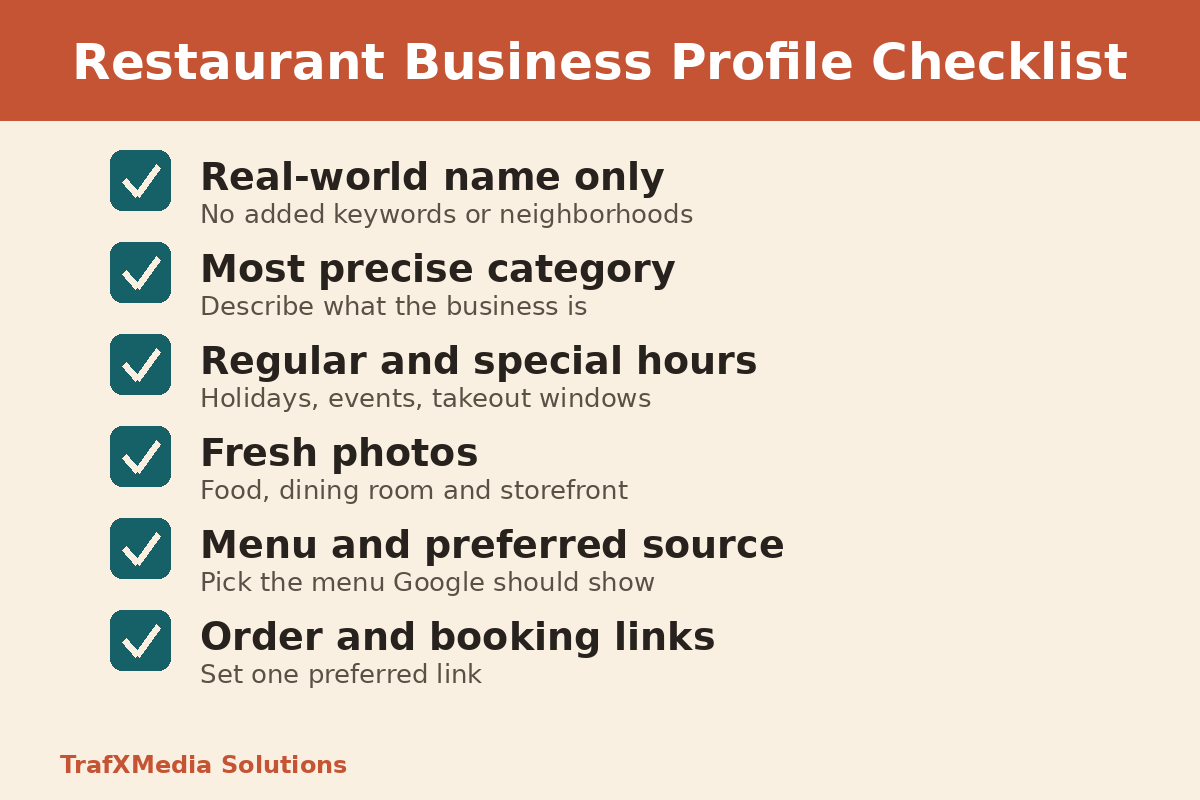
Enter the name painted on your awning and printed on your receipts. Google’s profile guidelines say the name has to mirror what you use in the real world, so adding words like “best tacos Mission District” to it is off limits. Stuffing local keywords into the name field can get the listing suspended, which is the opposite of what you want.
For single-location restaurants and restaurant brands alike, pick the most precise category that describes what you are, then keep your hours current. Google’s restaurant guide points owners to special hours for holidays and one-off events, and to extra hours for takeout or delivery windows. A diner who walks up to a locked door on a holiday rarely gives you a second try.
Photos of Food, Interior and Exterior
The same Google guide suggests uploading photos and videos of your dining room, your storefront and the overall experience. Shoot in daylight and show real plates. Fresh photos give people a reason to visit your restaurant and help attract local customers.
Get Your Menu Right on Google
The menu is often the deciding tap. Google gives you several ways to control what shows up, and using them well is one of the most practical seo tips for restaurants in the local area.
The Menu Editor and Menu Link
According to Google’s menu editor help page, food and drink businesses can list each item with a description and a price, grouped into sections. Google notes edits may need 24 to 48 hours before they appear on Maps and Search, so update the menu a couple of days before a seasonal change goes live.
Google can also pull menus from several places, such as your site or an outside provider. When more than one source exists, that same page explains that you can pick the version you prefer, which helps when an old menu keeps showing up. Separately, the links help page says a profile can hold one menu link, so point it at the page on your own site that you keep current.
Popular Dish Names
Guests can add photos and names for dishes they ordered. Google’s popular dishes page states that names you add as the owner come ahead of names customers add. If people keep labeling your signature noodle bowl with the wrong name, open the Maps app and correct it yourself.
Ordering and Reservation Links
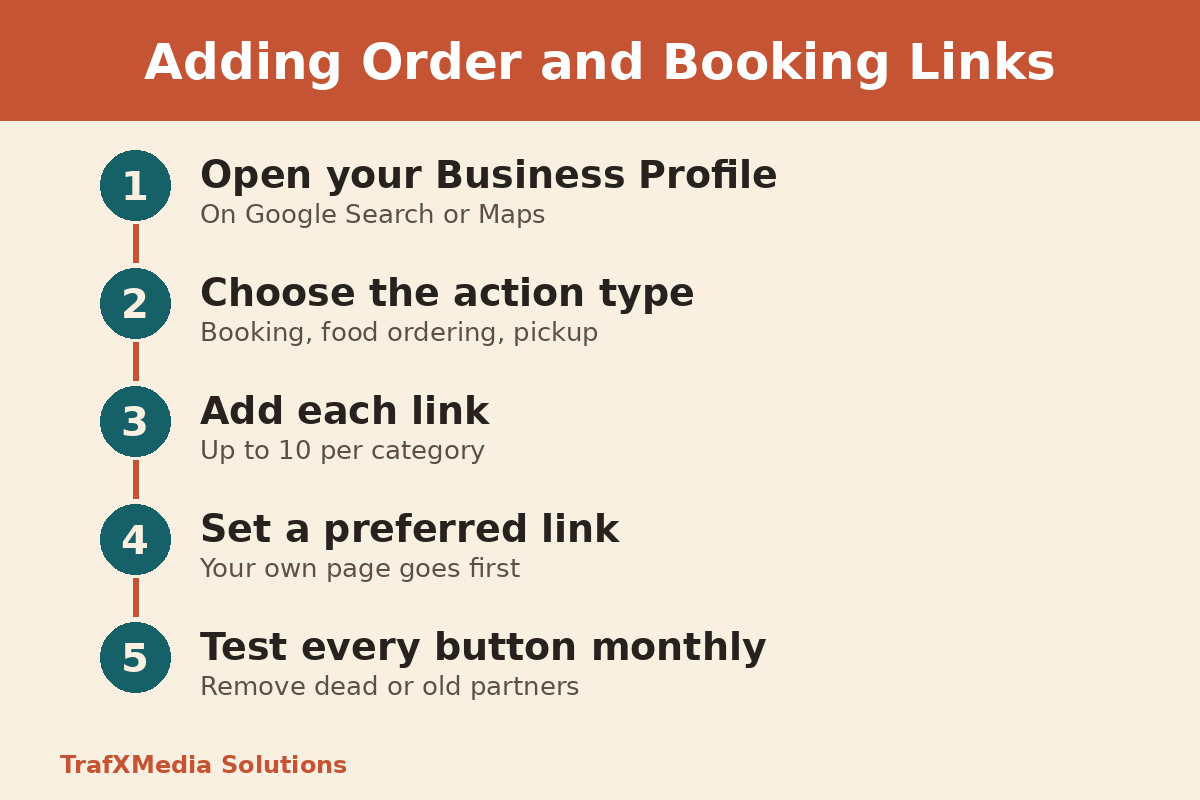
Google’s links page says a profile can carry up to 10 links in each category for actions like booking a table or placing a food order, and you can mark one as your preferred link. Put your own ordering or booking page first, then add partners you actually use. These best practices help your restaurant appear ready to serve.
Check these buttons monthly. A dead reservation link sends traffic to your restaurant straight to someone else, and nobody will hear about it.
Online Reviews for Restaurants: What Google Allows
Customer reviews and reviews on platforms like Google carry weight with restaurants looking to win new guests. Google’s content policy for Maps is strict here. You may ask any guest to share an honest opinion, but you cannot pay for reviews, trade a discount or free dessert for one, post from staff or family accounts, or ask only happy guests. That rules out the classic “leave a five-star review and get a free drink” table card.
A fair approach is simple: ask every guest the same way, at the same point, with no reward attached. Then respond to customer reviews, good and bad, in a calm and specific voice. Handling negative reviews well shows future diners that someone is listening. Our full Google reviews strategy covers wording and timing.
Optimize Your Restaurant Website and Menu Page
Your profile and your site should tell the same story. When you optimize your website, a strong restaurant website gives the search engine and your guests a page they can trust, and it is the one channel you fully own.
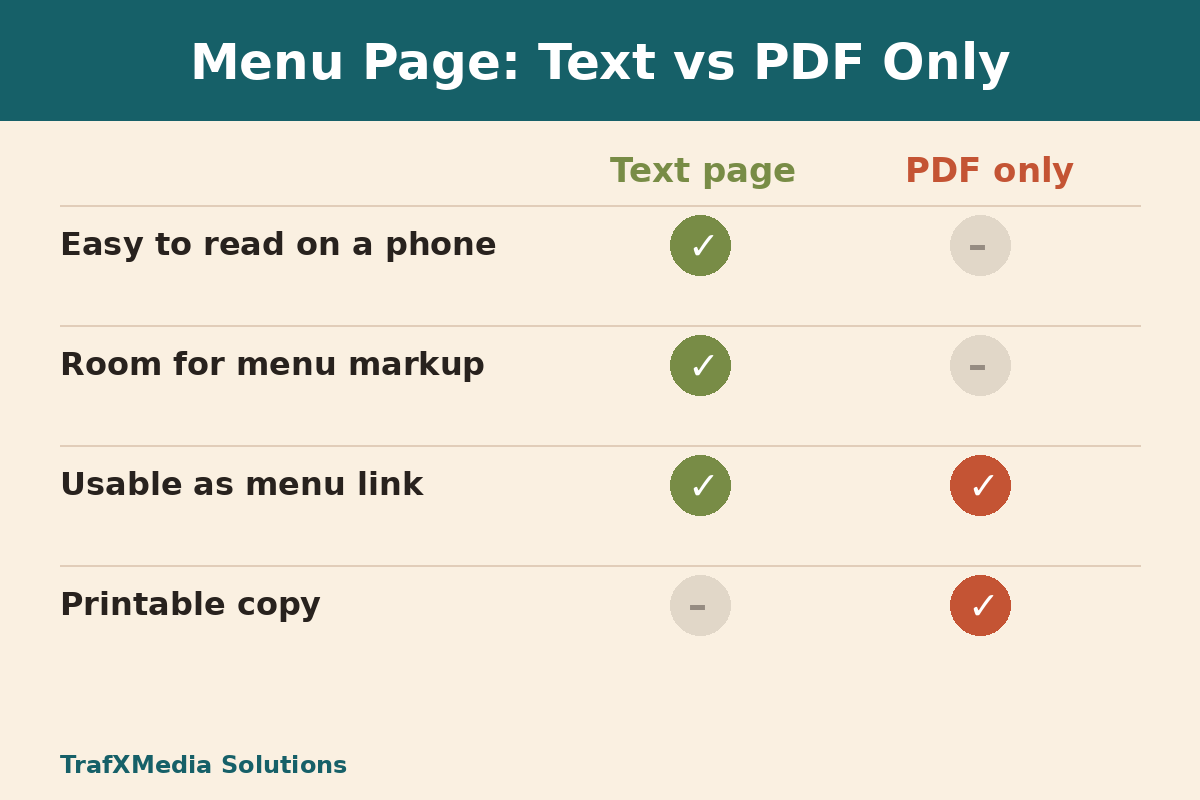
Many restaurants upload a scanned PDF and stop there. A menu page built as plain text is easier to read on a phone, loads faster on a busy sidewalk, and lets you add structured data. Keep the PDF as a printable extra. Add local content that helps guests plan a visit: parking near your block, private dining, dietary notes, and blog posts about local events your restaurant takes part in.
Restaurant Schema and the Menu Property
Google’s LocalBusiness structured data documentation lists name and address as required, asks you to use the most specific type available (Restaurant, in this case), and recommends a menu property for food businesses that points to your menu URL. We walk through the setup in our local business schema guide, so here the takeaway is short: mark up your restaurant as a Restaurant, and include the menu link.
Restaurant Local SEO Mistakes to Avoid
These are the slips we see most often when we review restaurant listings and sites:
- Keywords or neighborhood names added to the business name on Google.
- Holiday or event hours never set, so the listing says open when you are closed.
- An old menu showing because nobody chose a preferred menu source.
- Broken or outdated order and booking links.
- Asking only happy guests for reviews, or offering perks in exchange for them.
- A menu that exists only as a PDF image, with no text page and no markup.
- Different hours or phone details on the website and the profile.
Good SEO for restaurant teams is routine upkeep, not clever local SEO strategies or a big digital marketing budget, and these restaurant seo basics are where most local seo efforts should start. Nobody can promise a ranking position, so focus on what you control. If you run a multi-location restaurant, keep every location’s listing consistent. Track what changes in your profile insights and in Google Analytics, so you judge local seo performance by real visits rather than guesses.
Frequently Asked Questions
Where Do I Put My Restaurant Menu on Google?
Use the menu editor in your profile to build sections, then list each dish with a short description and price. Per Google’s help page, menu edits can need 24 to 48 hours before customers see them.
Why Does Google Show an Old Menu?
Google may have found more than one menu source for your restaurant. In the menu editor you can choose which source you want shown.
Can Customers Order or Book Straight From My Listing?
Yes, once you add the links in your profile under the booking or food ordering options. You can add up to 10 per category and set one as preferred.
Can I Edit Dish Names Customers Added?
You can. In the Google Maps app you can suggest edits, and dish names you add as the owner take priority over customer names.
How Can a Restaurant Get More Google Reviews Without Breaking Rules?
Ask every guest for an honest review with no reward, never filter who gets asked, and reply to what people write.
Want a second pair of eyes on your listing, menu and site? TrafXMedia Solutions in San Francisco helps restaurants tidy up the details that bring local customers to the door. Contact us to start a conversation.