
How to Turn Facebook Likes into Local Customers
Why Facebook is a Goldmine for Local Businesses
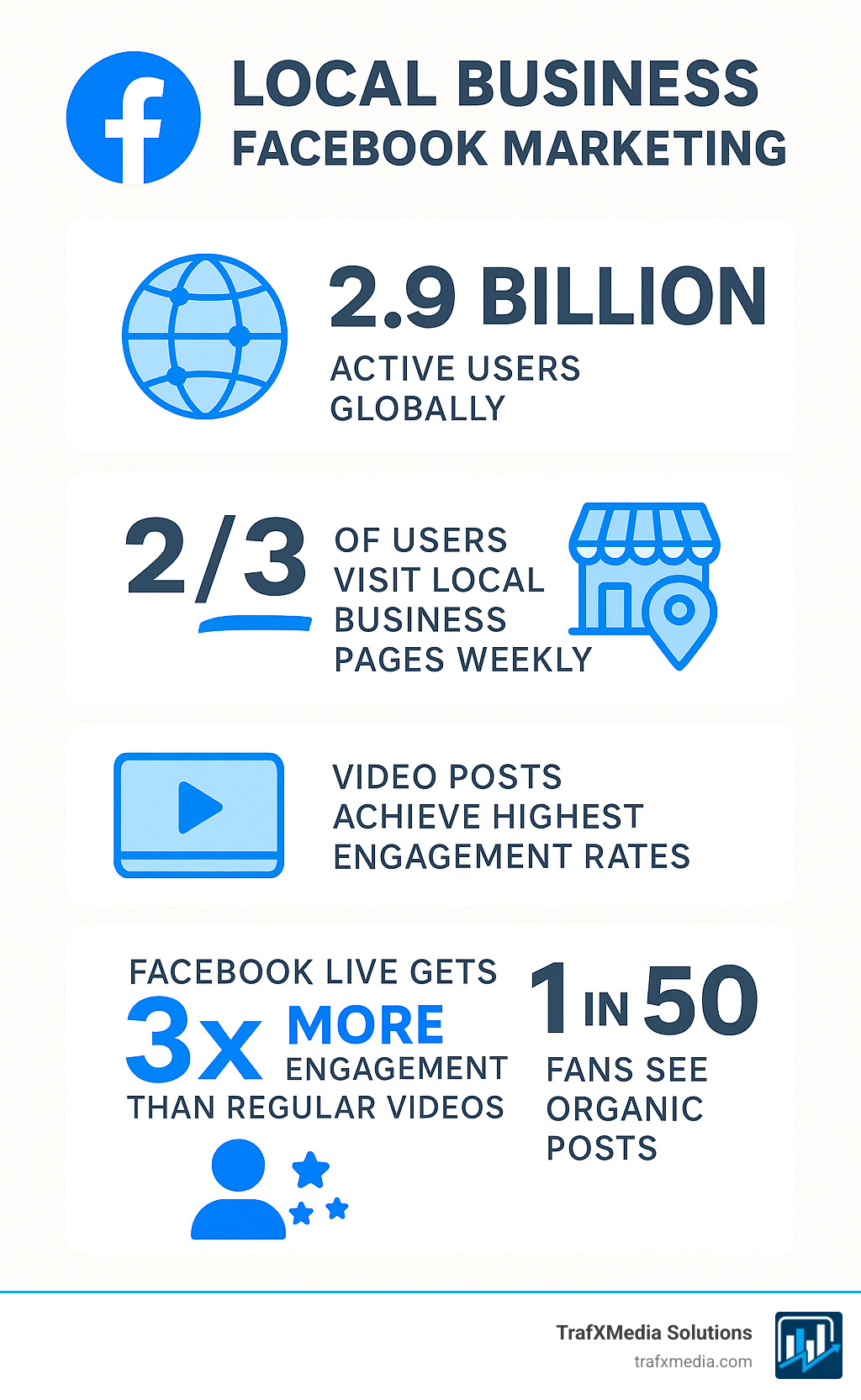
Local business Facebook marketing turns online likes into real-world customers. With 2.9 billion active users—and two-thirds of them visiting a local business page at least once a week—Facebook remains the easiest way to reach nearby shoppers.
The numbers tell a compelling story. Local businesses that actively use Facebook see an average of 30% more foot traffic compared to those relying solely on traditional marketing methods. More importantly, Facebook’s sophisticated targeting capabilities mean you’re not just casting a wide net—you’re fishing in the exact pond where your customers swim.
Consider this: when someone searches for “coffee shop near me” on Google, they might find your listing. But when they see their friend check in at your café on Facebook, share a photo of your latte art, or rave about your customer service in a post, that’s social proof money can’t buy. This organic word-of-mouth amplification is what makes Facebook particularly powerful for local businesses.
Quick Facebook Marketing Success Framework:
- Set up your page with the local business template, clear contact info, and a strong CTA
- Post engaging content (video earns 3× more engagement than text)
- Run Store Traffic ads so nearby users see “Get Directions” or “Call Now” buttons
- Build community through Groups, Events, and customer check-ins
- Measure & optimise with Insights and ad reporting
- Leverage user-generated content to build authentic social proof
- Implement retargeting strategies to re-engage website visitors
- Create seasonal campaigns that align with local events and holidays
The beauty of Facebook for local businesses lies in its ability to combine broad reach with hyper-local targeting. You can show your restaurant’s daily specials to people within a 2-mile radius who have shown interest in similar cuisines. You can promote your boutique’s weekend sale to fashion-conscious locals who’ve engaged with retail content. This precision targeting, combined with Facebook’s massive user base, creates opportunities that traditional advertising simply cannot match.
Precise radius targeting plus social proof (check-ins, shares, reviews) lets a well-run page replicate word-of-mouth at scale—something even big budgets struggle to match. The platform’s algorithm also favors local content, meaning posts from businesses in users’ immediate vicinity often receive preferential treatment in the news feed.
I’m Richard Taylor, and I’ve guided brands from Silicon Valley startups to global icons on how to squeeze the most value from Facebook. Everything that works for huge companies can be adapted—quickly and affordably—for your neighbourhood business. The strategies I’ll share have helped local businesses increase their customer base by 40-60% within the first six months of implementation.
Easy keyword list for deeper reading:
- Facebook marketing agency San Francisco
- Facebook marketing for fashion
- Facebook marketing for nonprofits
Setting Up Your Facebook Page for Local Success
Your Facebook Business Page is a 24/7 shop window. Make sure visitors instantly know who you are, what you do, and how to contact you. Think of it as your digital storefront—it needs to be welcoming, informative, and conversion-focused.
The difference between a basic Facebook page and one that drives real business results often comes down to the details. Every element of your page should work together to guide visitors toward taking action, whether that’s visiting your store, making a call, or booking an appointment.
Essential Steps for Page Setup
-
Choose the Business template so your address and hours are front-and-centre. This template is specifically designed for local businesses and includes features like location mapping and service listings that personal profiles lack.
-
Profile picture: a clear, recognisable logo that works at small sizes. Your profile picture appears next to every post and comment, so it needs to be instantly recognizable even as a tiny thumbnail.
-
Cover photo: show real customers or products, not just a logo. This prime real estate should tell a story about your business atmosphere. A busy restaurant, happy customers, or your team in action works better than generic stock photos.
-
About section: add a short, friendly description—include your neighbourhood name for local search. Mention specific landmarks or areas you serve. Instead of just “Downtown café,” try “Cozy café two blocks from Union Square, serving the Financial District since 2015.”
-
Contact details: double-check address, hours, phone, and website. Inconsistent information across platforms hurts your local SEO and confuses potential customers. Update holiday hours promptly.
-
CTA button: pick Get Directions, Call Now, or Send Message based on what drives most sales. Test different options monthly to see which generates more conversions.
-
Claim your vanity URL (facebook.com/YourBusiness) to make sharing easier and look more professional in marketing materials.
Advanced Optimization Strategies
Location and Service Areas: Be specific about your service radius. If you’re a plumber serving three neighborhoods, list them all. Facebook uses this information for local search and ad targeting.
Business Categories: Choose your primary category carefully—it affects which features Facebook offers and how you appear in searches. You can add secondary categories for broader visibility.
Messaging Setup: Enable instant replies for common questions like hours, location, or pricing. Set up automated responses for after-hours inquiries to capture leads even when you’re closed.
Optimising to Convert
-
Use page tabs like Services or Menu so people see what you sell without scrolling. Custom tabs can showcase your best offerings or current promotions.
-
Encourage reviews and respond politely to every one—this is modern word-of-mouth. A business that responds to reviews gets 30% more inquiries than those that don’t.
-
Pin your most important post (special, holiday hours, new product) to ensure every visitor sees your key message first.
-
Keep colours, fonts, and tone consistent so your brand feels professional. Your Facebook presence should seamlessly match your website and physical location.
Local SEO Integration: Your Facebook page is a powerful local SEO signal. Ensure your business name, address, and phone number (NAP) match exactly across Google My Business, your website, and Facebook. Even small discrepancies can hurt your local search rankings.
Connect this foundation to your wider digital presence with our guide on Boost Your Local Business with Effective Local SEO Strategies.
Fueling Organic Growth: Content and Community Engagement
Even with lower organic reach, compelling local content still reaches the right people—especially when it sparks conversation. The key is understanding that Facebook’s algorithm prioritizes content that generates meaningful interactions within your local community.
Successful local Facebook marketing isn’t about broadcasting to everyone—it’s about creating content that resonates so deeply with your neighborhood that people can’t help but engage. When locals comment, share, and tag friends, Facebook interprets this as valuable content worth showing to more people in your area.
Content That Clicks Locally
Video Content Strategies:
- Live or short videos: demos, Q&A, or daily specials (Facebook Live gets 3× engagement). Go live during busy periods to show your atmosphere, or stream cooking demonstrations, product tutorials, or behind-the-scenes moments.
- Story-driven content: Share the history of your business, introduce team members, or showcase customer success stories. People connect with narratives more than sales pitches.
- Seasonal and timely content: Align your videos with local events, weather, or community happenings. A snow day special or summer festival tie-in feels relevant and immediate.
Behind-the-scenes content works particularly well for local businesses because it humanizes your brand:
- Prep work and daily routines that show your dedication to quality
- Staff milestones, birthdays, or achievements that build personal connections
- Product arrivals or inventory updates that create anticipation
- Problem-solving moments that demonstrate your expertise
User-generated posts: share customer photos (with permission) for authentic social proof. Create a branded hashtag and encourage customers to use it. Reposting customer content not only provides you with authentic material but makes customers feel valued and more likely to return.
Educational content builds authority:
- Quick tips: teach something useful—florist care tricks, coffee brewing hacks, home repair advice, or styling suggestions
- How-to guides: step-by-step processes related to your industry
- Industry insights: share trends or news that affects your customers
- Problem-solving posts: address common customer questions or concerns
Stories and ephemeral content: perfect for limited-time offers, daily specials, or a “good morning” from the shop. Stories feel more personal and immediate, making them ideal for time-sensitive promotions or casual updates.
Aim for an 80/20 mix: 80% value or entertainment, 20% direct promotion. This ratio ensures your audience stays engaged without feeling overwhelmed by sales messages.
Content Calendar and Consistency
Develop themes for different days of the week:
- Monday Motivation: inspiring quotes or success stories
- Tutorial Tuesday: educational content or how-to videos
- Wednesday Wisdom: industry tips or expert advice
- Throwback Thursday: business history or nostalgic content
- Feature Friday: spotlight customers or team members
For more post ideas, check Crafting Engaging Content for Your Business’s Social Media.
Community Tools That Drive Foot Traffic
Facebook Groups Strategy:
Create a VIP or hobby-focused group and share early-bird deals. Groups generate 10x more engagement than pages because they feel more exclusive and personal. Consider creating groups around:
- Customer loyalty programs
- Shared interests related to your business (cooking for restaurants, fitness for gyms)
- Local community interests where you can establish thought leadership
Events for Local Engagement:
List workshops, tastings, flash sales, or community gatherings so locals can RSVP and share. Facebook Events have powerful viral potential—when someone marks “interested” or “going,” their friends see it. Create events for:
- Grand openings or anniversary celebrations
- Seasonal sales or special promotions
- Educational workshops or demonstrations
- Community service or charity events
- Networking meetups or customer appreciation nights
Check-in Incentives:
Offer a small perk for checking in—each check-in shows up in friends’ feeds, providing organic advertising. Make the incentive valuable enough to motivate action but sustainable for your business. Examples include:
- Discount on next purchase
- Free appetizer or dessert
- Priority seating or service
- Entry into monthly drawings
Messenger for Customer Service:
Enable instant replies for common questions about hours, location, pricing, or availability. Fast response times (under 15 minutes) significantly increase conversion rates. Set up automated responses for:
- Business hours and location
- Pricing information
- Appointment booking links
- Frequently asked questions
- After-hours contact information
Engagement Best Practices
Respond Quickly and Personally: Aim to respond to comments and messages within an hour during business hours. Personal responses from real team members feel more authentic than corporate-speak.
Ask Questions: End posts with questions to encourage comments. “What’s your favorite coffee drink?” or “Which service would you like to see us add?” generates discussion.
Share Local Content: Repost content from other local businesses, community events, or local news (when appropriate). This positions you as a community connector, not just a business.
Collaborate with Local Influencers: Partner with local bloggers, community leaders, or micro-influencers who have engaged local followings. Often, these partnerships can be mutually beneficial without requiring large budgets.
Mastering Paid Advertising for Local Business Facebook Marketing
When posts reach only a slice of fans, ads give you the megaphone—targeting people who can actually walk in today. Facebook’s advertising platform offers local businesses unprecedented precision in reaching potential customers within their service area.
The shift from organic to paid isn’t just about reach—it’s about control. With organic posts, you’re at the mercy of Facebook’s algorithm. With ads, you decide exactly who sees your message, when they see it, and what action you want them to take. For local businesses, this control translates directly into foot traffic and sales.
Understanding Facebook’s Local Advertising Ecosystem
Facebook’s local advertising tools are designed specifically for businesses that serve customers in physical locations. The platform uses location data, behavioral patterns, and demographic information to identify people most likely to visit your business.
Location-Based Targeting Options:
- Radius targeting: Draw a circle around your business (1-50 mile radius)
- Custom locations: Target specific neighborhoods, zip codes, or landmarks
- Exclude areas: Remove locations you don’t serve to avoid wasted spend
- Multiple locations: Target around several store locations simultaneously
The Store Traffic Objective: Your Secret Weapon
Pick Store Traffic in Ads Manager, drop a pin on your shop, choose a radius, and Facebook shows your ad—with Get Directions, Call Now, or Send Message—to nearby people most likely to visit based on their past behavior and current location patterns.
This objective uses Facebook’s machine learning to identify people who:
- Frequently visit businesses similar to yours
- Have a history of taking action on local business ads
- Are currently in or regularly visit your target area
- Show behavioral patterns indicating they’re likely to make purchases
Setting Up Store Traffic Campaigns:
- Campaign Level: Choose Store Traffic objective and set your budget
- Ad Set Level: Define your audience, locations, and schedule
- Ad Level: Create compelling creative with strong calls-to-action
- Tracking Setup: Install Facebook Pixel to measure actual store visits
Hyper-Target the Right Locals
Facebook’s location targeting goes beyond simple geography. Understanding these nuances can dramatically improve your ad performance:
-
People living in this area: ideal for repeat customers and building long-term relationships. These users see your business as part of their daily routine.
-
Recently in this area: commuters, office workers, and regular visitors who might not live nearby but spend significant time in your area. Perfect for lunch spots, coffee shops, or convenience services.
-
Traveling in this area: tourists, business travelers, and occasional visitors. Ideal for restaurants, attractions, hotels, and unique local experiences.
Advanced Audience Layering:
Combine location targeting with demographic and interest-based filters:
- Age ranges that match your typical customers
- Gender preferences if relevant to your business
- Interests related to your industry (“coffee,” “fitness,” “home improvement”)
- Behaviors like “frequent small-business shoppers” or “mobile device users”
- Life events such as “recently moved” for home services
Campaign Types That Drive Results
Awareness Campaigns: Build brand recognition in your local area
- Objective: Reach or Brand Awareness
- Best for: New businesses or expanding to new areas
- Budget: Lower cost per impression, higher volume
Traffic Campaigns: Drive immediate visits
- Objective: Store Traffic or Link Clicks
- Best for: Promoting events, sales, or new offerings
- Budget: Moderate, focused on conversion-likely audiences
Conversion Campaigns: Generate specific actions
- Objective: Conversions (with Facebook Pixel tracking)
- Best for: Online orders, appointment bookings, lead generation
- Budget: Higher cost per action, but qualified leads
Creative Formats & CTAs That Work
Single Image Ads:
Perfect for speed and simplicity. Use high-quality photos of your products, storefront, or happy customers. Include your logo and key information like hours or special offers.
Video Ads:
Ideal for storytelling and demonstrating your business atmosphere. Keep videos under 30 seconds for optimal engagement. Show your space, team, or products in action.
Carousel Ads:
Showcase multiple products, services, or aspects of your business. Each card can have its own headline and call-to-action, perfect for restaurants showing menu items or retailers displaying product ranges.
Collection Ads:
Combine video or image with a product catalog below. Excellent for businesses with extensive inventories or service offerings.
Call-to-Action Optimization:
Match the CTA to the specific action you want:
- Get Directions for retail stores and restaurants
- Call Now for service businesses and appointments
- Book Now for restaurants, salons, and event venues
- Send Message for consultations and custom services
- Learn More for complex services requiring explanation
Budget Management and Bidding Strategies
Daily vs. Lifetime Budgets:
- Daily budgets provide consistent spend and easier management
- Lifetime budgets allow Facebook more flexibility to optimize delivery
Bidding Options:
- Automatic bidding: Let Facebook optimize for lowest cost per result
- Manual bidding: Set maximum amounts you’re willing to pay
- Target cost: Maintain consistent cost per action over time
Budget Allocation Tips:
- Start with smaller budgets to test audiences and creative
- Increase spend on winning combinations
- Allocate 60% to proven performers, 40% to testing new approaches
- Adjust budgets based on business cycles and seasonal patterns
Always verify you comply with Facebook’s advertising policies before hitting publish. Policy violations can result in ad disapproval or account restrictions that impact your marketing efforts.
Measuring, Optimizing, and Scaling Your Efforts
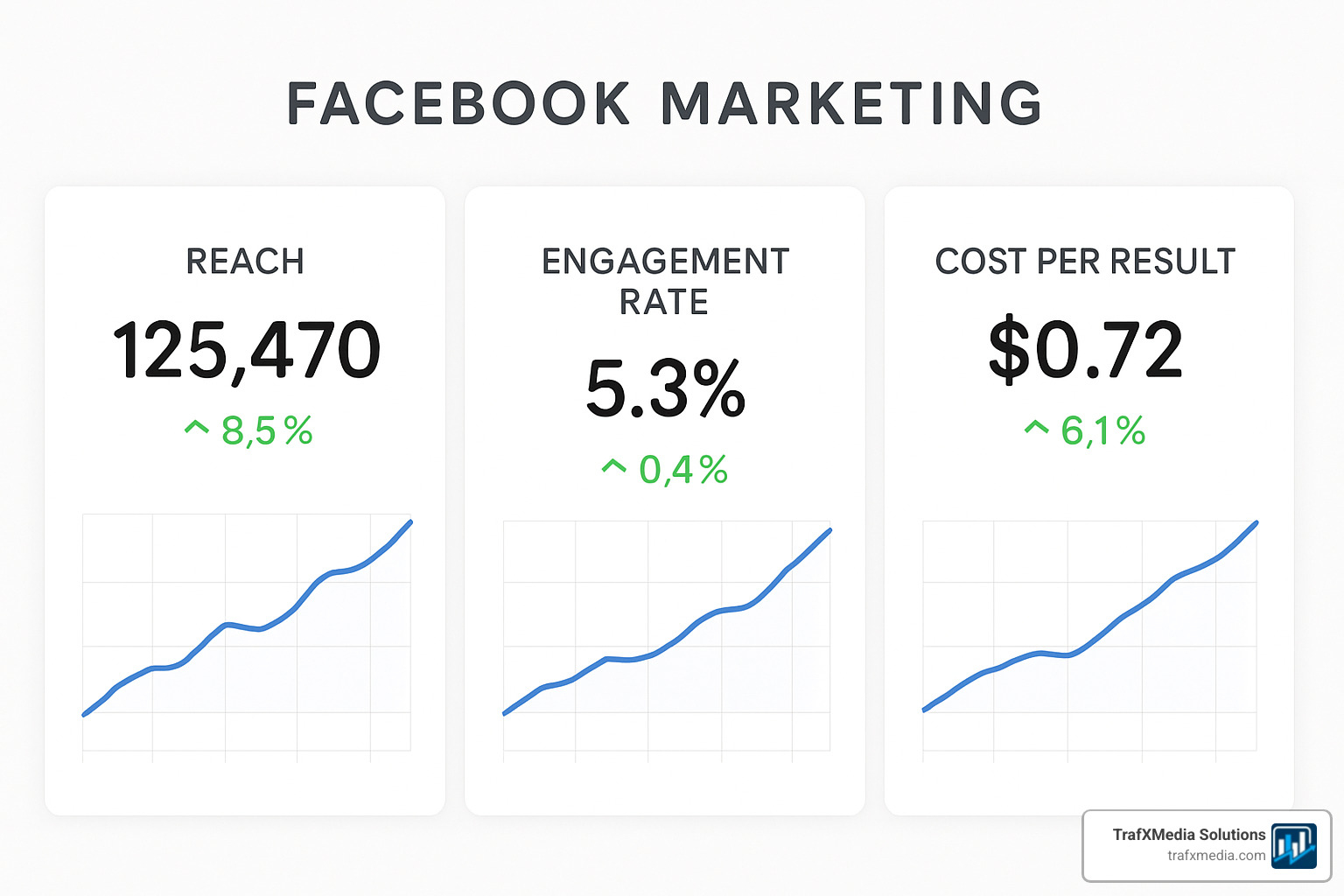
Guesswork is expensive. Let data steer every tweak. The difference between successful local Facebook marketing and wasted ad spend often comes down to understanding what the numbers actually mean and how to act on them.
Most local businesses make the mistake of focusing on vanity metrics like likes and follows instead of tracking actions that directly impact their bottom line. The key is building a measurement framework that connects Facebook activity to real business outcomes.
Core Metrics to Watch
Organic Performance Indicators:
- Reach: unique locals who saw your content. Track both total reach and local reach to understand your community penetration.
- Engagement rate: comments, shares, clicks ÷ reach (aim for 3%+). Higher engagement rates indicate content resonates with your audience.
- Link clicks & video views: show real buying intent and content effectiveness.
- Page visits and actions: track how many people visit your page and take actions like getting directions or calling.
Paid Advertising Metrics:
- Cost per result & frequency: keep frequency under 3 to avoid ad fatigue. When frequency rises above 3, your audience is seeing the same ad too often.
- Click-through rate (CTR): measures ad relevance and appeal. Local business ads should achieve 1-3% CTR.
- Cost per click (CPC): varies by industry but should decrease as you optimize targeting and creative.
- Return on ad spend (ROAS): the ultimate measure of campaign profitability.
Advanced Local Metrics:
- Store visit rate: percentage of people who saw your ad and visited your location
- Conversion lift: how much more likely people are to visit after seeing your ads
- Local brand awareness: measured through Facebook’s brand awareness objective
- Customer lifetime value from Facebook traffic: track long-term value, not just immediate conversions
Facebook Analytics Deep Dive
Page Insights Analysis:
Facebook’s native analytics provide crucial information about your audience and content performance:
- Audience demographics: age, gender, location, and device usage of your followers
- Peak activity times: when your local audience is most active on Facebook
- Content performance: which post types generate the most engagement and reach
- Page actions: calls, direction requests, and website clicks generated by your page
Posts Performance Tracking:
Analyze individual post performance to identify patterns:
- Content type effectiveness: compare video vs. image vs. text post performance
- Timing optimization: identify when your posts reach the most local users
- Topic resonance: track which subjects generate the most local engagement
- Call-to-action effectiveness: measure which CTAs drive the most business actions
Pixel, Custom & Lookalike Audiences
The Facebook Pixel is your secret weapon for advanced targeting and measurement. This small piece of code tracks visitor behavior on your website and enables powerful retargeting capabilities.
Pixel Implementation for Local Businesses:
- Standard events tracking: page views, purchases, contact form submissions
- Custom events: appointment bookings, quote requests, newsletter signups
- Conversion tracking: measure which Facebook activities lead to actual sales
- Audience building: create lists of website visitors for retargeting
Custom Audiences That Work:
- Website visitors: retarget people who visited but didn’t convert
- Customer lists: upload email or phone lists to target existing customers
- App users: if you have a mobile app, target active users
- Engagement audiences: people who interacted with your Facebook content
Lookalike Audience Strategy:
Facebook can create Lookalikes of your best customers within your local area:
- Source audience: use your highest-value customers (minimum 100 people)
- Geographic constraints: limit lookalikes to your service area
- Audience size: start with 1-2% similarity for highest quality
- Multiple lookalikes: create separate audiences based on different customer segments
Optimization Strategies That Work
A/B Testing Framework:
Test systematically to improve performance:
- Creative testing: different images, videos, or ad copy
- Audience testing: compare demographic or interest-based segments
- Placement testing: automatic vs. manual placement selection
- Timing testing: different days of week or hours of day
- Objective testing: compare Store Traffic vs. Reach vs. Engagement campaigns
Only test 2-3 variables at a time to isolate what’s actually driving performance changes.
Campaign Optimization Tactics:
- Budget reallocation: move money from underperforming to winning ad sets
- Audience refinement: exclude demographics or interests that don’t convert
- Creative refresh: update images and copy when performance declines
- Bid adjustments: optimize for your most valuable actions
- Schedule optimization: run ads when your target audience is most active
Scaling Successful Campaigns:
When you find winning combinations:
- Gradual budget increases: raise spend by 20-50% every few days
- Audience expansion: test broader targeting while maintaining performance
- Creative multiplication: develop variations of successful ads
- Campaign duplication: create similar campaigns for different objectives
- Geographic expansion: extend successful campaigns to nearby areas
Advanced Analytics and Reporting
Third-Party Analytics Integration:
Connect Facebook data with other business metrics:
- Google Analytics: track website behavior from Facebook traffic
- Point-of-sale systems: measure in-store purchases from Facebook visitors
- CRM integration: track customer lifetime value from Facebook leads
- Call tracking: measure phone calls generated by Facebook ads
Monthly Reporting Framework:
Create consistent reports that track:
- Performance trends: month-over-month changes in key metrics
- ROI analysis: revenue generated vs. Facebook marketing spend
- Audience insights: changes in follower demographics and behavior
- Competitive analysis: how your performance compares to industry benchmarks
- Optimization opportunities: specific recommendations for improvement
Campaign Budget Optimization (CBO):
Use Facebook’s automatic budget distribution to push more money to winning ad sets. CBO analyzes performance in real-time and shifts budget toward the combinations generating the best results.
Need hands-on help? Explore our Facebook Ads services crafted for San Francisco businesses.
Frequently Asked Questions about Local Facebook Marketing
How much should a local business spend on Facebook ads?
Start with a daily amount you’re comfortable testing (many begin around $10–20). Track conversions, then scale gradually once campaigns show a positive return.
How often should a local business post on Facebook?
Quality beats quantity. Two to four strong posts per week, delivered consistently, usually outperform daily filler content. Use Insights to post when your followers are most active.
Is organic reach really dead for local businesses?
It’s reduced, not dead. Highly engaging, community-focused content plus Groups and Events can still achieve solid visibility. Combine organic relationship-building with targeted paid boosts for best results.
Conclusion: Turn Your San Francisco Followers into Loyal Customers
Local Facebook marketing isn’t about chasing vanity metrics—it’s about building relationships that end at your cash register. The strategies outlined in this guide provide a comprehensive framework for changing your Facebook presence from a passive business listing into an active customer acquisition engine.
The key to success lies in understanding that Facebook marketing for local businesses is fundamentally different from national brand marketing. Your advantage isn’t in having the biggest budget or the flashiest creative—it’s in your ability to create genuine connections with your immediate community. When you combine authentic local engagement with strategic paid advertising and data-driven optimization, you create a marketing system that consistently delivers measurable results.
Your 90-Day Action Plan:
Days 1-30: Foundation Building
- Optimize your Facebook Business Page with all essential elements
- Set up Facebook Pixel on your website
- Create your first month’s content calendar
- Launch your first Store Traffic campaign with a modest budget
- Establish baseline metrics for organic reach and engagement
Days 31-60: Content and Community Development
- Implement user-generated content strategies
- Create your first Facebook Group or Event
- Test different content types and posting schedules
- Expand your advertising to include retargeting campaigns
- Begin A/B testing ad creative and audiences
Days 61-90: Optimization and Scaling
- Analyze performance data and identify top-performing content
- Scale successful ad campaigns with increased budgets
- Implement advanced targeting with Custom and Lookalike Audiences
- Develop partnerships with other local businesses
- Create systems for ongoing optimization and growth
Long-term Success Factors:
Consistency beats perfection every time. A business that posts valuable content regularly and responds promptly to customer interactions will outperform one that posts sporadically, even if the sporadic posts are higher quality. Your local community wants to see that you’re actively engaged and available.
Authenticity resonates more than polish. Local customers can spot overly corporate content from a mile away. They want to see the real people behind your business, understand your story, and feel connected to your mission. Share your challenges and successes, introduce your team, and let your personality shine through.
Data should drive decisions, not gut feelings. While intuition has its place in creative decisions, your marketing budget should be allocated based on measurable results. Track what works, double down on successful strategies, and eliminate tactics that don’t generate positive ROI.
Common Pitfalls to Avoid:
- Over-promoting: Remember the 80/20 rule—provide value first, sell second
- Ignoring negative feedback: Address complaints publicly and professionally
- Inconsistent branding: Ensure your Facebook presence matches your physical location
- Neglecting mobile users: Over 95% of Facebook users access the platform on mobile devices
- Focusing on followers over engagement: A smaller, engaged audience is more valuable than passive followers
Measuring True Success:
The success of your local Facebook marketing should be measured by its impact on your business goals:
- Increased foot traffic and in-store sales
- Higher customer retention and repeat business
- Improved brand recognition in your local community
- More efficient customer acquisition costs
- Improved customer relationships and loyalty
Optimise your page, post value-packed content, run laser-targeted ads, and review the data weekly. Do that consistently and your Facebook presence becomes an always-on customer generator that works even when you’re focused on serving customers in your physical location.
The local business landscape is more competitive than ever, but Facebook provides tools that level the playing field. Small businesses can now reach their ideal customers with the same precision as major corporations, often with better results because of their authentic community connections.
For a full blueprint that weaves Facebook into every channel you use, read Developing a Winning Digital Marketing Strategy for Local Businesses.
Ready to accelerate? Partner with a Facebook Ads expert in San Francisco and watch those likes turn into loyal, local customers. The investment in professional Facebook marketing often pays for itself within the first month through increased customer acquisition and improved targeting efficiency.
Remember: every major local business started with their first Facebook post, their first ad campaign, and their first customer interaction. The difference between businesses that thrive on Facebook and those that struggle isn’t talent or budget—it’s commitment to consistent, strategic action. Start today, stay consistent, and let the data guide your growth.